Cheapest AI Video Generation Tools in 2026: Kling AI vs Runway vs Luma
Text-to-video and image-to-video AI has three names that dominate the "which tool should I use" conversation right now: Kling AI, Runway, and Luma's Dream Machine. All three price around a credit system, but the credits mean completely different things on each platform — so "more credits" on one tool says nothing about value on another. Here's how the entry-level cost actually compares once you translate credits into what you can generate.
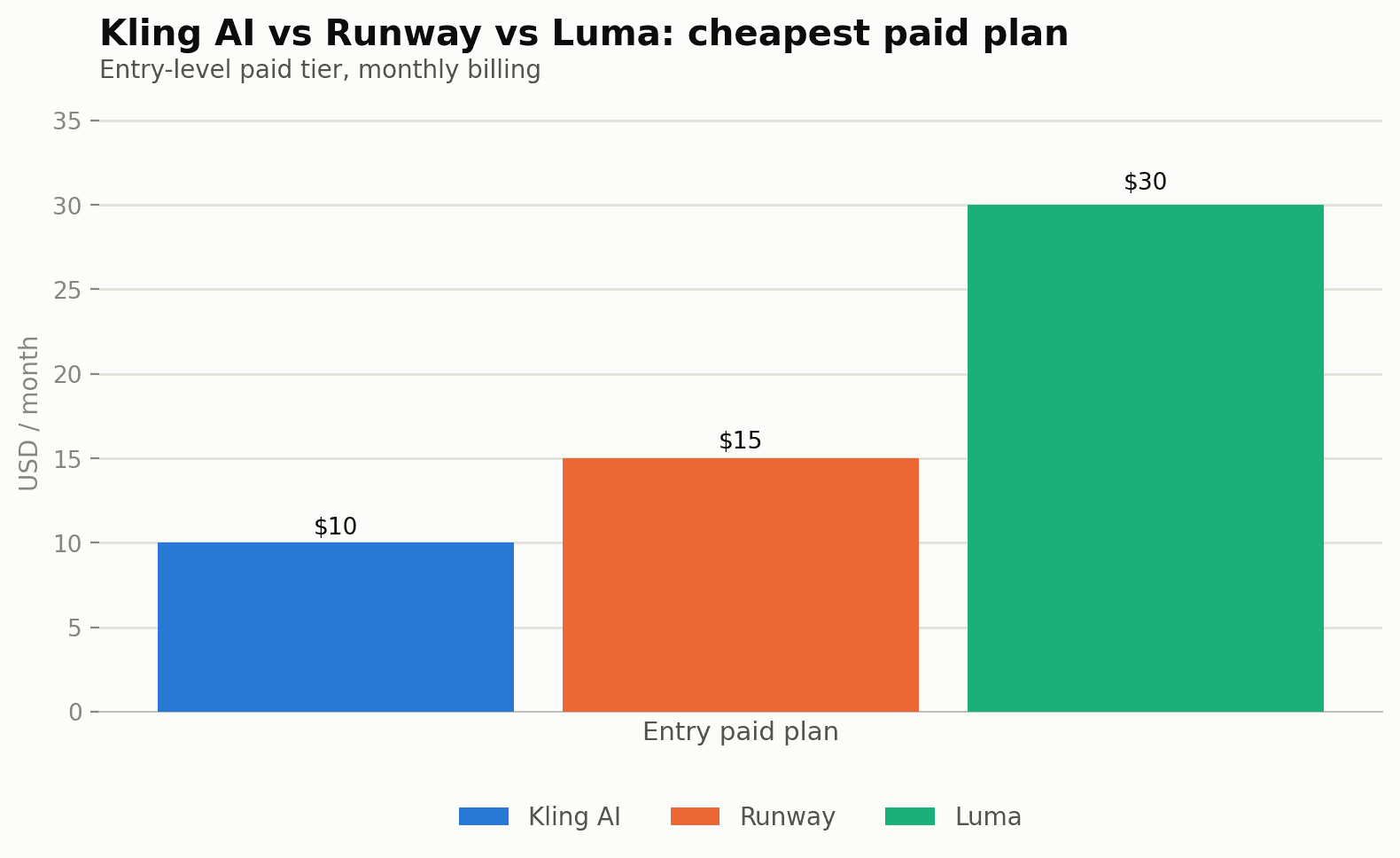
Quick verdict: Kling AI's $10/mo Standard plan and Runway's $12/mo Standard plan are the two cheapest ways into paid AI video generation, close enough in price that model quality and feature set should decide between them. Luma's Plus tier costs more than double either, but buys access to a broader set of third-party models rather than just the cheapest per-clip cost.
Open the calculator →Pricing side by side
| Plan tier | Kling AI | Runway | Luma |
|---|---|---|---|
| Free | ~a limited free allowance whose amount varies by account and region (expires 24h) | 125 one-time credits | — |
| Entry paid | Standard — $10/mo, 660 credits | Standard — $12/mo annual ($15 monthly), 625 credits | Plus — $25/mo annual ($30 monthly), 10,000 credits |
| Mid | Pro — $37/mo, 3,000 credits | Pro — $28/mo annual ($35 monthly), 2,250 credits | Pro — $75/mo annual ($90 monthly), 40,000 credits |
| Top | Ultra — $180/mo, 26,000 credits | Max — $76/mo annual ($95 monthly), 9,500 credits | Ultra — $250/mo annual ($300 monthly), 150,000 credits |
Why you can't compare credit counts directly
Luma's 10,000 credits on its $25/mo Plus plan looks enormous next to Kling's 660 credits on its $10/mo Standard plan — until you realize each platform prices its own generations in wildly different credit amounts. On Kling AI, a 5-second 1080p clip with native audio costs roughly 60 credits, meaning the $10 Standard plan supports about 11 such clips a month. Runway and Luma both meter differently again, based on their own model costs, resolution options and generation length — a "credit" is a platform-specific unit, not a universal currency. The only fair comparison is dollars-per-finished-clip at a resolution and length you'd actually use, not raw credit totals.
What the entry tier actually gets you
- Kling AI Standard ($10/mo, 660 credits): the cheapest way into paid AI video generation of the three. At roughly 60 credits per 5-second 1080p clip with audio, that's about 11 clips a month — workable for testing concepts or producing occasional short social clips, tight for anything resembling regular output.
- Runway Standard ($12/mo annual, $15 monthly, 625 credits): priced almost identically to Kling's Standard tier, with the added benefit of access to all AI video/image models rather than a single generation engine, plus 5 parallel generations and no watermarks — a meaningfully more flexible plan at a comparable price.
- Luma Plus ($25/mo annual, $30 monthly, 10,000 credits): more expensive at entry, but positions itself differently — access to Luma's own models plus third-party image and video models through one subscription, aimed more at people who want breadth across models than the cheapest possible per-clip cost.
For pure budget-conscious experimentation, Kling AI's $10 Standard plan or Runway's $12 Standard plan are the two cheapest ways in — and they're close enough in price that the deciding factor should be which platform's model output you prefer, not the few dollars between them. Luma's Plus tier costs more than double either, but Runway's own Pro tier at $28/mo (2,250 credits, 15 parallel generations, custom voice clone, unlimited 4K upscaling) is worth comparing against Luma's Plus tier directly if you're shopping in that $25-30 range — Runway Pro often delivers more generation headroom for a similar or lower price.
Pros and cons
Kling AI
- Cheapest entry-level paid plan of the three ($10/mo)
- Daily-resetting free allowance (~a limited free allowance whose amount varies by account and region) is generous for spread-out testing
- Clear per-second credit pricing makes cost-per-clip easy to calculate
- Single-model platform — no access to third-party engines
- Credits don't roll over month to month on standard subscriptions
Runway
- Access to multiple AI models (not just video) under one subscription
- Parallel generations and unlimited 4K upscaling even at the Standard tier
- Free tier is a one-time 125-credit grant rather than a recurring allowance
- Meaningful gap between monthly ($15) and annual ($12) Standard pricing
- Max plan's credit rollover (up to one month) is a rare feature among competitors
Luma
- Broadest model access, including third-party engines, in one subscription
- Large credit pools at every tier reduce the chance of hitting a hard wall mid-project
- Highest entry price of the three by a wide margin ($25-30/mo)
- Credit-per-clip cost isn't clearly published, making budgeting less precise upfront
- Best value tier (Pro) still costs 2-3x Runway's or Kling's comparable tier
Hidden costs to watch for
Resolution scaling is the detail most people miss when budgeting Kling AI specifically: 1080p costs more credits per second than 720p at every audio setting (8 vs 6 credits/second without audio, 12 vs 9 with audio), so a plan that comfortably covers 720p output can run out noticeably faster the moment you switch to 1080p for a "final" export pass.
On Runway and Luma, the monthly-vs-annual gap is large enough to matter even at the entry tier — Runway's Standard plan is 25% more expensive month-to-month than annualized ($15 vs $12), and Luma's Plus plan carries a similar proportional gap ($30 vs $25). If you're not committing for a full year, budget for the higher monthly number rather than the annualized figure most comparison charts (including this one) lead with.
Where each one wins
Choose Kling AI if: you want the lowest possible entry cost specifically for text-to-video and image-to-video generation, and you're comfortable managing a tighter credit budget per clip.
Choose Runway if: you want access to multiple AI models under one subscription (not just video generation), value features like parallel generations and unlimited 4K upscaling, and want the best balance of price and flexibility at the $12-28/mo range.
Choose Luma if: breadth of available models (including third-party ones) matters more than the cheapest entry price, or you're already generating at high enough volume that the 10,000+ credit pools on Plus and Pro make more practical sense than counting individual clips.
Common questions
Do unused credits roll over on any of these platforms?
Runway's Max plan explicitly allows up to one month of unused credits to roll over; Kling AI's guide notes subscription credits generally don't roll over month to month, while separately purchased credit packs typically have longer validity — check current terms before assuming rollover on any lower tier.
Which platform is cheapest for someone who only needs a handful of test clips?
Runway's free tier (125 one-time credits) or Kling AI's daily free allowance (~a limited free allowance whose amount varies by account and region, expiring in 24 hours) both work for light testing without paying anything — Kling's daily reset is actually more generous for spread-out testing than Runway's one-time free credit grant.
Does higher resolution always cost proportionally more credits?
On Kling AI specifically, yes — 1080p costs more credits per second than 720p at every audio setting (8 vs 6 credits/second without audio, 12 vs 9 with audio) — expect a similar resolution-based scaling on Runway and Luma even where exact multipliers aren't published as clearly.
Is annual billing worth it if I'm not sure how much I'll use these tools?
Runway and Luma both show a meaningful gap between monthly and annual pricing (Runway: $15 vs $12/mo; Luma: $30 vs $25/mo) — if you're just testing for a month or two, pay monthly first and switch to annual once you know your actual usage pattern.
Can any of these three generate longer-form video, or are they all limited to short clips?
All three are currently oriented toward short clips (typically a few seconds up to around a minute per generation) rather than long-form video — longer pieces are generally assembled by generating and stitching multiple clips together in a separate editor, not produced as one continuous generation.
Is there a meaningful quality difference between the three at their entry tiers, or is it purely a price question?
Yes — model output quality, motion coherence, and prompt adherence differ noticeably between Kling AI, Runway and Luma, and these differences shift as each company ships model updates. Price is only half the decision; it's worth generating a small test batch on each platform's cheapest tier before committing to a full month's subscription on any one of them.
Full Kling AI breakdown: Kling AI pricing guide. Runway and Luma figures sourced from their official pricing pages as of publication — pricing on fast-moving AI platforms changes often, so double-check current rates before committing to an annual plan. Model your own expected clip volume in our AI content cost calculator.
Sources and corrections
Full Kling AI breakdown: Kling AI pricing guide. Runway and Luma figures sourced from their official pricing pages as of publication — pricing on fast-moving AI platforms changes often, so double-check current rates before committing to an annual plan. Model your own expected clip volume in our AI content cost calculator.