Canva vs Adobe Firefly: Which Gives You More AI for Your Money?
Canva and Adobe Firefly aren't direct competitors in the way Midjourney and Firefly are — Canva is a design platform with AI generation layered in, while Firefly is a generation engine that happens to plug into Adobe's design apps. But for anyone deciding where to spend their AI-content budget, they compete for the same dollar. Here's how the two price their AI access.
Quick verdict: Canva is the cheaper, better choice if you need a full design tool with AI as one feature among many. Firefly is the cheaper, better choice if AI generation volume is the whole point and you already have somewhere else to assemble the final asset. Most solo creators end up needing Canva regardless; whether they also need Firefly depends on generation volume.
Open the calculator →Pricing side by side
| Plan tier | Canva | Adobe Firefly |
|---|---|---|
| Free | $0 | $0 (limited, via Creative Cloud) |
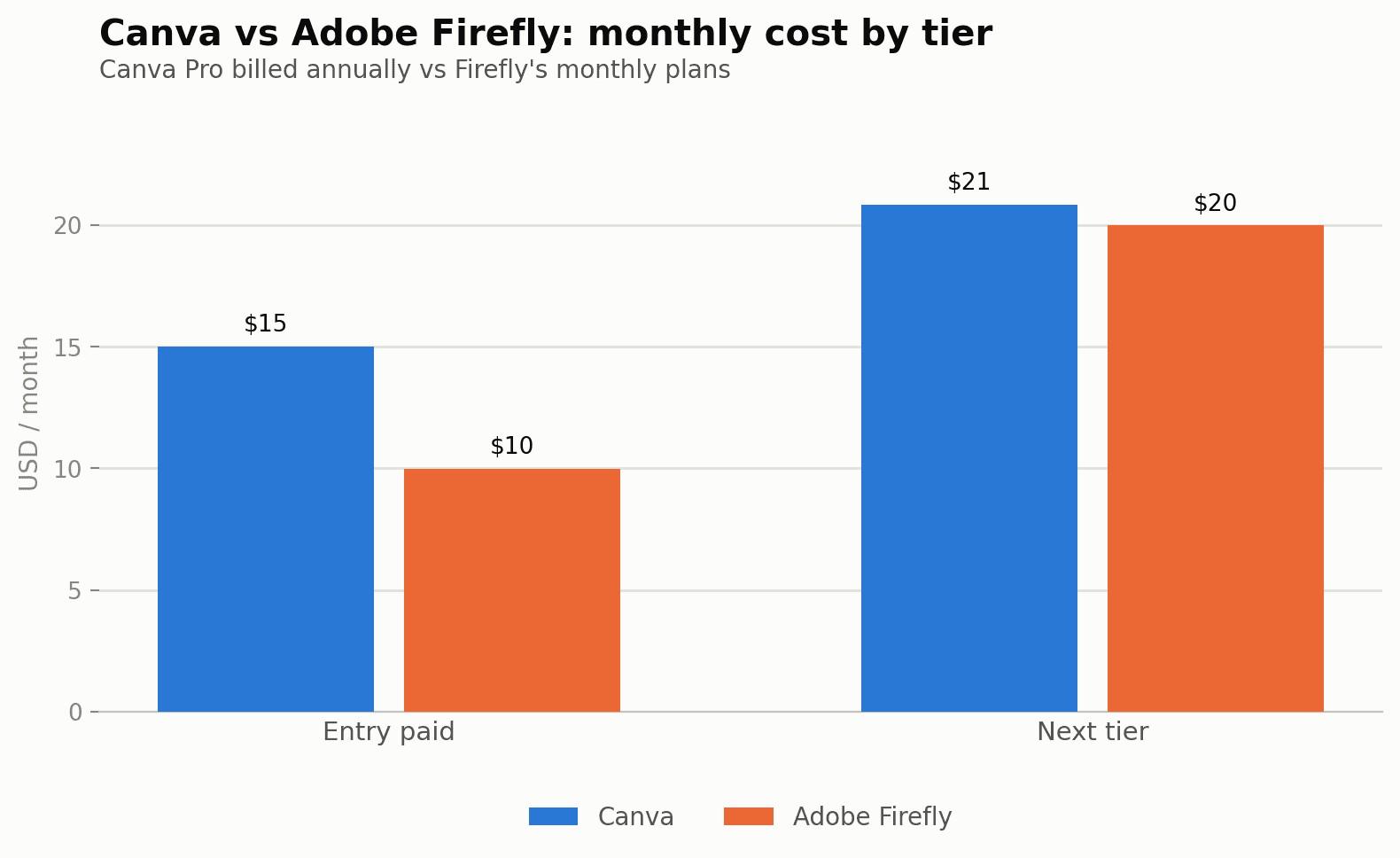
| Entry paid | Pro — $180/year (~$15/mo) | Standard — $9.99/mo, 2,000 credits |
| Next tier | Business — $250/year per person (~$20.83/mo) | Pro — $19.99/mo, 4,000 credits |
| Higher | Enterprise — custom | Pro Plus — ~$35+/mo, 10,000 credits |
Two completely different ways of measuring "how much AI you get"
Firefly's system is straightforward on paper: a fixed monthly credit pool, with unlimited standard image generation included regardless of how many credits remain (credits mainly gate video and premium features).
Canva doesn't use fixed credits at all. Instead, AI access is described as a multiple of the free-tier allowance — Pro gets roughly 10 times the free allowance and Business roughly 20 times, across separate Standard, Premium and Ultra AI feature tiers. There's no published number of "credits" to budget against, which makes Canva harder to plan around if your workflow is AI-generation-heavy: image generation, background removal at scale, and video generation can all exhaust a plan's AI allowance well before you'd expect, based on storage or template limits. Canva does offer an AI Pass add-on on Pro and Business for extra generative use beyond the plan's included allowance, billed separately — effectively an overage charge for AI specifically.
Cost for an AI-heavy design workflow
If your monthly work is mostly template-based design with occasional AI touch-ups (background removal, a handful of generated graphics):
- Canva Pro (~$15/mo annualized): comfortable. The 10x free allowance easily covers light-to-moderate AI use alongside Canva's core design toolkit — templates, brand kits, resizing, stock assets — which Firefly doesn't offer at all.
- Adobe Firefly Standard ($9.99/mo): cheaper, and unlimited on standard image generation, but you get generation only — no design canvas, templates or layout tools. You'd still need something else (Canva, Photoshop, Illustrator) to actually assemble a finished graphic.
If your monthly work is AI-generation-heavy (dozens of unique images, some video):
- Canva Business (~$20.83/mo annualized): the 20x allowance helps, but heavy generation workflows can still hit the ceiling and trigger AI Pass add-on charges — an unpredictable extra cost.
- Adobe Firefly Pro ($19.99/mo, 4,000 credits): more predictable for high-volume generation specifically, since the credit number is fixed and known upfront rather than a vague multiple.
The honest comparison: Canva and Firefly aren't really substitutes. Canva is the cheaper, better choice if you need a full design tool with AI as one feature among many. Firefly is the cheaper, better choice if AI generation volume is the whole point and you already have somewhere else to assemble the final asset.
Pros and cons
Canva
- Full design toolkit: templates, brand kits, one-click resizing, stock library
- AI access is a "multiple" of free allowance, not a fixed number — harder to budget precisely
- AI Pass add-on adds an unpredictable overage cost for heavy generation use
- Business/Enterprise pricing is per-seat, which scales with team size
- No standalone "generation only" tier for people who don't need the design tools
Adobe Firefly
- Fixed, predictable credit pool — easier to budget than Canva's allowance multiples
- Unlimited standard image generation regardless of remaining credits
- No design canvas or templates — needs pairing with another tool to finish assets
- Higher tiers (~$35+, ~$140+) carry promotional pricing that fluctuates more than entry tiers
- Best value only kicks in if generation volume, not design assembly, is your bottleneck
Hidden costs to watch for
Canva's AI Pass is the line item most people don't budget for until they hit it — because Canva's AI allowance is described as a multiple rather than a fixed credit count, it's genuinely hard to predict in advance when you'll need it, which makes it easy to underestimate a month's real cost if AI generation is a meaningful part of your workflow.
Firefly's promotional pricing on Pro Plus and Premium (the "~$35+" and "~$140+" figures) means the entry-level Standard and Pro tiers are the only genuinely stable numbers to plan around — treat anything above Pro as a "check current pricing before committing" line rather than a fixed budget figure.
Where each one wins
Choose Canva if: you need templates, brand kits, one-click resizing for different platforms, and AI generation is a nice-to-have layered on top of a broader design workflow — most solo creators and small marketing teams get more total value here per dollar.
Choose Adobe Firefly if: you specifically need high-volume, commercially-licensed AI image generation and already have a design tool (or don't need one), or you're inside the Adobe ecosystem and want Firefly credits to flow directly into Photoshop and Illustrator.
Use both if: you're running a small content operation — Firefly Standard for commercially-safe bulk generation, Canva Pro for turning those assets into finished, on-brand social posts, ads and documents. Combined that's about $25/month for two tools that don't really overlap.
Common questions
Does Canva's free plan include any AI features at all?
Yes, a limited allowance — Canva's free tier includes a small amount of AI feature access, but it's exhausted quickly compared to the paid tiers' 10x and 20x multiples.
Is the Canva AI Pass a one-time purchase or recurring?
It's billed separately from the base subscription as extra generative capacity when you exceed your plan's included allowance — treat it as a variable, usage-based add-on cost rather than a fixed monthly fee.
Can Firefly credits be used inside Photoshop, not just the standalone Firefly app?
Yes — Firefly credits are shared across Adobe's generative features wherever they appear, including Photoshop's Generative Fill, which is one reason Creative Cloud subscribers often already have some Firefly access bundled in.
Which is cheaper for someone who only needs a handful of AI images per month?
Firefly Standard at $9.99/mo, since standard image generation is unlimited on that tier regardless of credit count — for occasional AI images without a design tool attached, it's the lower entry cost of the two.
Does Canva Business's per-seat pricing apply even to a one-person team?
Business pricing is quoted per person, so a solo user pays the same per-seat rate as each member of a larger team would — there's no solo discount, which is worth factoring in if you're evaluating Business mainly for the larger AI allowance rather than actual team features.
Is there a way to try Firefly's higher tiers before committing to the fluctuating promotional price?
Adobe periodically offers short free trials or promotional first-month pricing on Pro Plus and Premium; availability changes often enough that checking current signup offers directly is more reliable than budgeting off a remembered number.
Full breakdowns: Canva pricing guide and Adobe Firefly pricing guide. Model your own mix of design + generation costs in our AI content cost calculator.
Sources and corrections
Full breakdowns: Canva pricing guide and Adobe Firefly pricing guide. Model your own mix of design + generation costs in our AI content cost calculator.