Canva vs CapCut: Which One Actually Covers Your Content Workflow?
Ask a social media manager which tool they'd keep if they could only pick one, and you'll get a genuinely split answer — because Canva and CapCut aren't competing on the same axis. Canva is built around static and templated design; CapCut is built around video editing. Most creator workflows eventually need both, which makes the real question less "which is better" and more "which do I need first, and what does covering both actually cost."
Quick verdict: annualized, Canva Pro and CapCut Pro cost almost exactly the same (~$15/mo). Pick based on your content mix, not price — graphics-heavy creators start with Canva, video-heavy creators start with CapCut, and a full-pipeline operation budgets roughly $30-35/month for both.
Open the calculator →Pricing side by side
| Plan tier | Canva | CapCut |
|---|---|---|
| Free | $0 | $0 — includes 8K export |
| Entry paid | Pro — $180/year (~$15/mo) | Pro — ~$19.99/mo or $179.99/yr (~$15/mo) |
| Next tier | Business — $250/year per person | Teams — from $24.99/mo per seat |
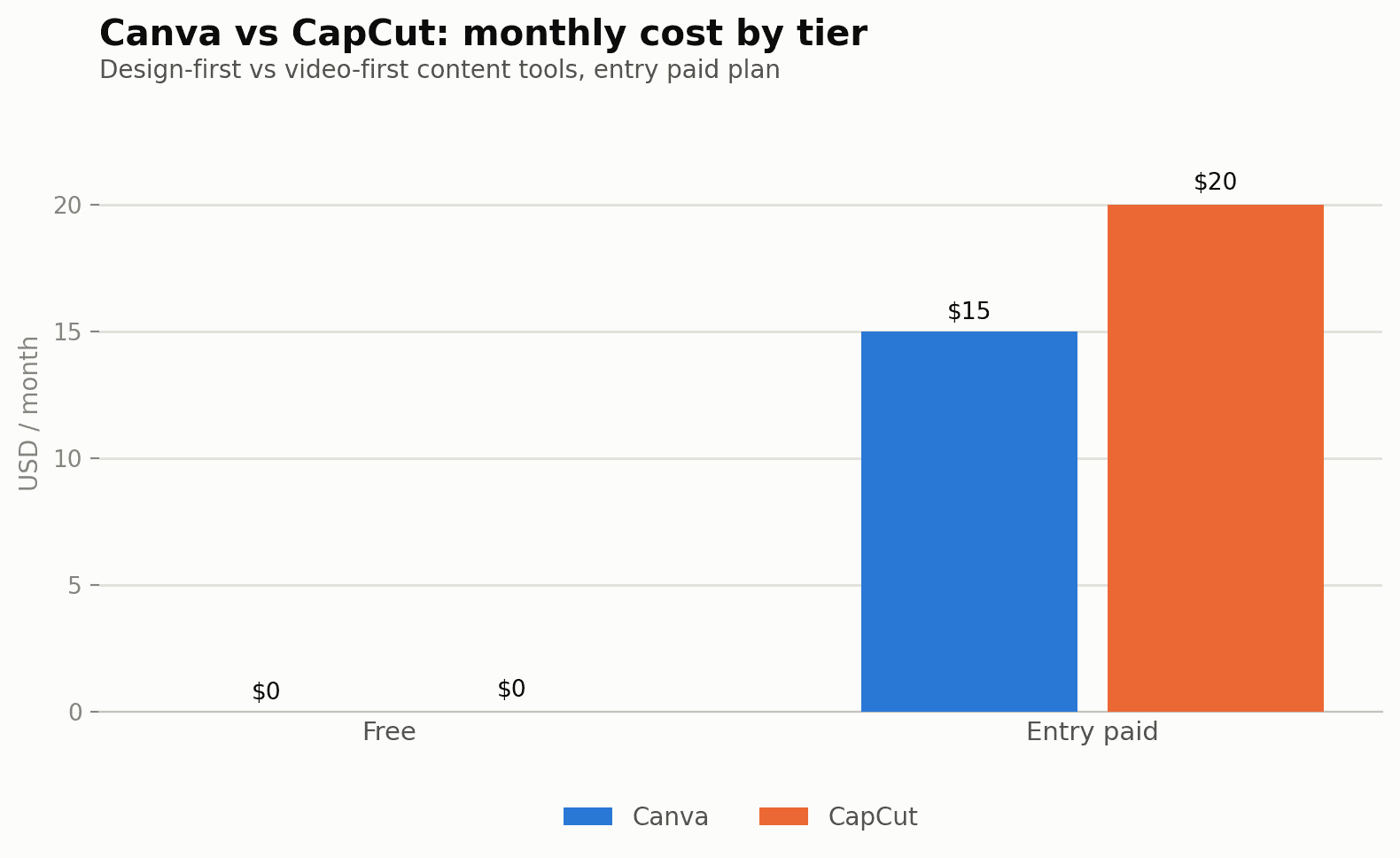
Annualized, they cost almost exactly the same
This is the detail that surprises most people comparing the two: Canva Pro and CapCut Pro land at almost identical monthly cost once you annualize — roughly $15/month either way. The difference isn't price, it's what that $15 buys you.
Canva's $15/mo gets you: templates for every format (social posts, presentations, documents, print), brand kits, one-click resizing across platforms, stock photo/video libraries, and a growing AI layer (background removal, Magic-style generation features) rationed at roughly 10x the free allowance.
CapCut's ~$15-20/mo (monthly billing runs closer to $19.99, annual brings it near $15) gets you: a full video timeline editor, AI auto-captions, background removal for video, motion tracking, noise reduction, premium templates and transitions, and expanded cloud storage — plus 8K export, which is actually already free on CapCut's no-cost tier.
Cost for a realistic creator workflow
A typical small-business or solo-creator content calendar mixes static posts with short video — think 60% graphics, 40% short-form video, published across two or three platforms a month:
- Canva Free + CapCut Free ($0 total): genuinely usable starting point. CapCut's free tier already includes 8K export and core cutting tools; Canva's free tier covers basic templated design. You'll hit friction on Canva's AI features and CapCut's AI video tools first.
- Canva Pro only (~$15/mo): the better first upgrade if your output is graphics-heavy — social posts, carousels, thumbnails, basic presentations — and video is occasional or handled elsewhere.
- CapCut Pro only (~$15-20/mo): the better first upgrade if video is your primary format and graphics are secondary (thumbnails, simple title cards) — CapCut does have some static design capability, but it's not built for it the way Canva is.
- Both, Canva Pro + CapCut Pro (~$30-35/mo combined): the realistic cost of a full content pipeline covering both static and video, still cheaper than most single "all-in-one" content suites charging $40-50/mo for a worse version of each.
Pros and cons
Canva
- Deep template library covering nearly every graphic format, not just social
- Brand kit system keeps a content calendar visually consistent across a team
- Video editing exists but is noticeably more basic than a dedicated tool
- AI feature allowance ("10x free") is harder to predict than a fixed credit count
- Business tier pricing is per-seat, adding up for larger teams
CapCut
- Free tier already includes 8K export and full core cutting tools
- AI captions, background removal and motion tracking bundled into one Pro price
- Minimal static-design capability beyond simple title cards and overlays
- No brand-kit-equivalent system for keeping non-video assets consistent
- Team pricing is per-seat, same tradeoff as Canva's Business tier
Hidden costs to watch for
Because CapCut's headline monthly price (~$19.99) is noticeably higher than its annualized rate (~$15), anyone paying month-to-month while testing the tool is effectively paying a real premium over the number most comparisons quote — budget for the higher monthly figure if you're not ready to commit annually yet.
On the Canva side, the AI Pass add-on (see our Canva vs Adobe Firefly comparison for detail) can turn an AI-heavy month into an unexpectedly higher bill even while staying on the same Pro plan — worth checking your AI usage pattern before assuming the flat $15/mo is the ceiling.
Where each one wins
Choose Canva first if: your content calendar leans toward graphics, carousels, presentations, or print materials — Canva's template library and brand kit tools have no real equivalent inside CapCut.
Choose CapCut first if: short-form video is your primary output (Reels, TikTok, Shorts) — CapCut's timeline, AI captions and export options are purpose-built for exactly that, and Canva's video editor is comparatively basic.
Budget both from day one if: you're building a genuine multi-format content operation — at roughly $30-35/month combined, the pairing covers close to everything a small content team needs without touching a $50+/mo all-in-one suite.
Common questions
Can CapCut fully replace Canva for social graphics?
Not really — CapCut can produce simple title cards and text overlays, but it lacks Canva's template ecosystem, brand kit system, and non-video design formats like documents and presentations.
Can Canva fully replace CapCut for short-form video?
Canva has added video editing and some AI video features, but its timeline tools, caption automation, and export options are noticeably less capable than CapCut's for anyone doing regular short-form video work.
Is the annual pricing worth it for either tool if I'm not sure I'll stick with it?
Both offer monthly billing at a real premium over annual (CapCut in particular jumps from roughly $15/mo annualized to $19.99/mo month-to-month) — if you're testing the workflow for the first 1-2 months, paying the monthly rate briefly before committing annually is usually the safer call.
Do either of these have a free trial of the paid tier, separate from the free plan?
Both companies periodically run trial promotions on their Pro tiers; check each platform's current signup flow, since availability and length change without much notice.
Which tool is better for a team that needs shared brand assets?
Canva's brand kit system is purpose-built for this — logos, fonts, and color palettes applied consistently across every team member's designs — while CapCut has no direct equivalent for enforcing visual consistency across a team's video output.
Is CapCut's free 8K export actually usable, or is it capped in practice?
The free tier's export quality itself isn't artificially capped, but free-tier users may encounter watermarks or feature restrictions elsewhere (AI tools, certain premium assets) that push toward the Pro tier well before export resolution becomes the limiting factor.
Full breakdowns: Canva pricing guide and CapCut pricing guide. Build your own content-mix budget in our AI content cost calculator.
Sources and corrections
Full breakdowns: Canva pricing guide and CapCut pricing guide. Build your own content-mix budget in our AI content cost calculator.